


Get SMS Code: Receive Online
4.528.00 Reviews
App Specs
- Version
- 1.0
- Updated On
- License
- Free
- Downloads
- 10,000+
- Developer
- APPSTER LTD
- Categories
- Communication
- Platform
- Android
Screenshots
 Analysis by AppCompare
I tested Get SMS Code: Receive Online as a communication app built around one focused task: receiving verification messages through virtual numbers. That narrow purpose is also its main appeal. Instead of tying every account activation to my personal phone number, I can use the app when a service accepts an online number for sending a confirmation code.
My first impression is that this is not a general messaging replacement. It is a utility for a specific point in the sign-up process, and the quality of the experience depends heavily on whether the service I am registering with accepts the number and delivers its message properly. If you understand that boundary, the app becomes easier to judge. It is useful for temporary account activation and testing workflows, but it is not something I would treat as a permanent identity for important accounts.
The app is free to install, is rated for Everyone, and comes from APPSTER LTD. It has an average rating of 4.5 from around 1.2K ratings, with more than 10K installs. Those figures suggest that the concept is attracting people who need a quick alternative during phone verification, although popularity alone cannot guarantee that every number will work with every service.
One capability, and why it matters
I’d use this section to focus on the decision that matters before opening the app: whether the account is temporary or one I’ll need to recover later. A virtual number can keep a low-stakes sign-up separate from my personal number, but that convenience is only worthwhile when I have a sensible backup plan.
Virtual numbers change the sign-up workflow
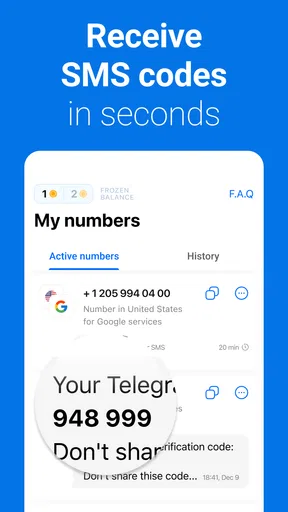
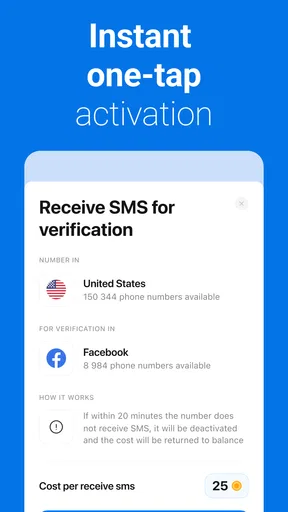
The central capability is straightforward: Get SMS Code: Receive Online provides virtual numbers intended to receive SMS verification codes. In a normal registration, I enter my personal number, wait for a text, copy the code, and finish creating the account. With this app, the number comes from the service instead, so the verification message can be viewed inside the app when the supported service sends it.
That difference matters most when I want to keep my everyday number separate from a new online service. It can reduce the number of places where my personal number is entered, which is convenient when I am exploring a service rather than committing to it. It also gives me a practical option when I am using a device without an active SIM or when I need a number for a controlled testing step.
There is an important distinction here between receiving a code and owning a dependable long-term phone identity. The app addresses the first problem. It should not automatically be treated as the second. A number used for initial activation may not be the number you can rely on later for password recovery, security alerts, or account ownership checks.
Worth Reading Before You Choose

Flipboard Shows What News Apps Must Do Beyond the Feed

Switching to Android Auto Means Rethinking Your Driving Routine

Google Calendar Makes a Crowded Week Easier to Manage

Ludo King Makes the Most of the Minutes Between Plans

Baby Panda World Brings Quick Play to Modern Phones, but Its Game Library Feels Busy

ESPN’s Live Game View Makes Following Close Games Easier
I also would not assume that a virtual number will be accepted everywhere. Some websites and apps screen out online, shared, or previously used numbers. That is not a flaw unique to this product; it is a normal limitation of this category. The useful question is whether the app gives me a workable route for the particular verification step I am facing, not whether it can replace a carrier number in every situation.
How I would use it without creating future problems
My preferred workflow is to decide what kind of account I am creating before opening the app. For a disposable trial, a temporary community account, or a service I only need to evaluate, an online number may be a sensible choice. For banking, medical services, work access, two-factor authentication, or anything containing information I cannot afford to lose, I would use my own secure number or another trusted authentication method instead.
After choosing a suitable number, I would enter it carefully in the service requesting verification, then watch for the incoming code in the app. I would copy the code promptly and complete the registration while the session is active. If the message does not appear, repeatedly requesting new codes is usually a poor first move. It can trigger rate limits, create several competing messages, or make it harder to know which code is current.
A better troubleshooting sequence is to check the number format, confirm that the service is sending an SMS rather than a voice call, wait briefly, and then consider whether that service blocks virtual numbers. If the app offers another available number, trying one alternative may make sense. Continuing indefinitely is not a reliable strategy, especially when the account provider has already rejected the number type.
One practical tip is to keep the registration screen and the receiving app easy to access without losing the form. On a phone, switching between apps can sometimes refresh a page or clear an unfinished step, depending on the service being registered with. I would copy the number before leaving the selection screen, keep the destination service ready, and avoid closing either app until the verification is complete.
A realistic everyday scenario
Imagine I want to test a new discussion platform for a short project. The platform requires SMS verification, but I do not want to add my personal number to an account that I may abandon after evaluating it. I open Get SMS Code: Receive Online, choose an available virtual number, enter it on the platform, and wait for the confirmation message. If the service accepts that number, I can finish the trial without using my main contact detail.
The benefit is not just convenience. It creates a clearer separation between my personal communications and a low-priority experiment. If the project ends, I am less likely to keep receiving unrelated alerts on my main number. That separation can also make account cleanup easier because I know which number was associated with the temporary registration.
However, I would record the account details and its recovery options before leaving. If the platform later asks for the original number and the virtual number is no longer available, I may lose access. This is the trade-off that a quick store summary does not make obvious: the same distance that protects my personal number can make recovery less convenient.
Where it compares well with usual alternatives
The usual alternative is to use a personal SIM card. That option is generally more dependable for important accounts because the number is under my control and can remain available for recovery. It is also less likely to be classified as an online number. The downside is that I must disclose my everyday number and keep that SIM active.
Another alternative is a second physical SIM or an eSIM. That gives me stronger ownership than a shared virtual number and can be a good choice for repeated use, business separation, or accounts I expect to keep. It usually requires more setup, though, and it does not solve the problem for someone who only needs a single low-stakes verification.
Email verification and authenticator apps are better when a service supports them and when I want a more durable security method. An authenticator app, in particular, is usually more appropriate for protecting an important account than relying on a number selected for a one-time activation. Get SMS Code: Receive Online is most useful when SMS is mandatory and I need a separate number quickly.
That makes the app a specialist rather than a universal winner. It can be more convenient than buying another SIM for one short registration, but less dependable than a personally controlled number for anything I expect to use for months or years.
The friction I noticed in the concept
The first limitation is acceptance. A service may reject a virtual number before sending anything, or it may accept the number but fail to deliver a code. From my perspective, that means the app cannot guarantee a successful registration simply because it supplies a number. The destination service remains part of the equation.
The second limitation is continuity. A number that works today may not be the number I can use later. I would avoid attaching it to an account where losing access would have serious consequences. If I use the app for a temporary account, I would immediately look for an alternative recovery method, such as an email address or an authenticator option, when the service provides one.
There is also a privacy trade-off. Keeping my personal number out of a registration can be helpful, but using an online number does not mean the entire activity is anonymous or risk-free. I still need to read the destination service’s rules, avoid entering sensitive information into questionable platforms, and remember that verification is only one part of account security.
The purchase model deserves attention as well. The app is free, but in-app purchases range from forty-nine cents to $19.99 per item. I would treat any paid option as a convenience decision rather than a promise that a particular service will accept a number. Before spending anything, I would check whether the registration problem is really the lack of a number or whether the destination platform simply blocks this type of number.
Because the current version is 1.0, I would approach the app with realistic expectations. A first release can be perfectly usable, but I would pay close attention to how clearly the number status and incoming messages are presented during actual registrations. For this kind of utility, small points of friction matter: selecting the wrong number, missing a short-lived code, or not knowing whether a request is still pending can turn a quick task into repeated trial and error.
Tips for getting a cleaner result
Use the app for accounts whose recovery consequences are limited. This keeps the convenience of a separate number without placing an essential identity behind a temporary channel.
Prepare the destination registration first. Know which country format it expects and whether it specifically requires SMS, because a number alone does not solve a mismatch in the registration form.
Request one code at a time. Multiple requests can create confusion when older messages arrive after a newer request.
Save the account’s alternate recovery method immediately after activation. This is the most important step if the account may become more valuable than originally expected.
Do not use a virtual number as a substitute for a secure second factor on a sensitive account. Convenience during sign-up is not the same as durable protection.
These habits make the app more useful because they treat it as part of a workflow rather than as a magic bypass for every verification barrier. The strongest result comes when I already know why I need the number and what I will do if the service rejects it.
Who benefits most from this app
I see the clearest value for people who regularly test online services, separate personal and project registrations, or need an SMS-capable number for a short-lived account. It may also help someone using a spare device without a convenient SIM, provided the destination service accepts the virtual number and the user understands the account-recovery trade-off.
Developers and testers may find the concept useful during controlled checks of registration flows, although they should still follow the rules of the service being tested. The app can reduce the need to use a personal number for every basic activation, which is practical when the goal is to inspect a sign-up experience rather than establish a permanent personal account.
I would recommend skipping it if the account is central to your finances, employment, identity, or private records. I would also skip it when a service already supports a stronger option such as an authenticator app or a personally controlled second number. In those cases, the extra ownership and recovery stability are worth more than the speed of a virtual SMS.
People who expect every code to arrive instantly should also moderate their expectations. The app’s usefulness depends on availability, delivery, and acceptance at the other end. If any of those steps fails, the experience may feel uncertain even though the app is doing exactly what it is designed to do.
My final judgment after focusing on the main feature
Get SMS Code: Receive Online is best understood as a focused communication utility for online SMS verification, not as a replacement for a mobile carrier or a complete security system. I like the separation it offers: for a low-stakes registration, keeping my personal number out of the process can be genuinely convenient. The workflow is easy to understand, and the free entry point makes it approachable for occasional use.
At the same time, I would use it selectively. The possibility of rejection by a destination service, the uncertainty around long-term access to a virtual number, and the paid purchase range all make it important to think before committing. I would never let the convenience of a quick code determine the recovery plan for an important account.
APPSTER LTD has positioned version 1.0 around a clear need, and that clarity is its strongest quality. If you need a separate number for a temporary or experimental activation, this app is worth trying. If you need dependable ownership, long-term recovery, or stronger protection, a personal SIM, eSIM, or authenticator-based method is the better choice. My recommendation is therefore positive but narrow: use it as a carefully chosen verification tool, not as the foundation of your digital identity.
Pros
- Quick access to temporary numbers for SMS verification.
- Useful for testing apps without exposing your personal phone number.
- Simple interface makes number selection straightforward.
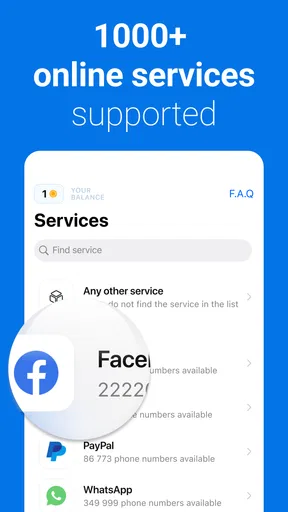
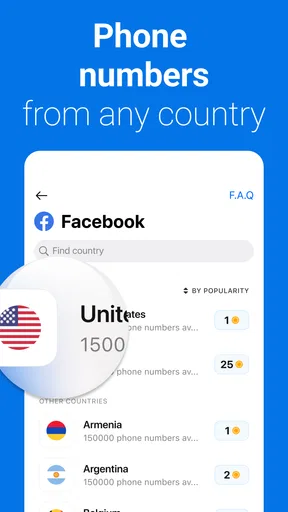
- Supports multiple countries and services.
- Can reduce spam sent to your primary number.
Cons
- Many numbers may be unavailable for popular services.
- Received messages are not private and may be visible to others.
- Some platforms block temporary numbers during registration.
- Number availability and reliability can change without notice.
- Not suitable for banking
- recovery
- or other sensitive accounts.
FAQs for Get SMS Code: Receive Online
What is Get SMS Code: Receive Online used for?
Get SMS Code: Receive Online is designed to provide access to temporary or virtual phone numbers that can receive SMS messages, commonly for verification purposes. Users may select a number associated with a supported country or service, then check the app for incoming messages. Availability and supported platforms can change, so it is important to review the current options before relying on it for an important account.
Can I use Get SMS Code: Receive Online to verify any website or app?
No service can guarantee verification for every website or application. Some platforms block virtual, temporary, or previously used numbers, while others support only specific countries or carriers. In my experience reviewing this type of app, success depends on the destination service, the selected number, and current availability. Check the app’s supported services and terms before purchasing or requesting a code.
Are the phone numbers and received SMS messages private?
Privacy may be limited because temporary numbers can sometimes be shared, recycled, or accessible through the service’s system. You should never use a public or temporary number for banking, identity documents, password recovery, or any account containing sensitive information. Before using Get SMS Code: Receive Online, read its privacy policy and understand how long numbers and incoming messages may be stored.
Does Get SMS Code: Receive Online cost money?
The app may offer free features, but individual numbers, countries, services, or verification attempts can require payment. Pricing can vary according to demand, availability, and the requested destination platform. Review the price shown before confirming a transaction, and check whether purchases are one-time or recurring. Also verify refund conditions, because an unsuccessful verification may not automatically qualify for a refund.
What should I do if the verification code does not arrive?
First, confirm that the selected number matches the country and service you intended to use, then wait briefly and refresh the inbox if the app provides that option. Some platforms delay or block messages sent to temporary numbers. If the number expires, the service rejects it, or no message arrives within the allowed period, follow the app’s support or replacement procedure instead of repeatedly requesting codes.


